How to Avoid Scams
and Report Them
Protect yourself by staying alert to work-from-home scams.
At NexRep, we’re proud to offer flexible work-from-home opportunities — but we know that scammers are becoming more sophisticated in pretending to represent legitimate companies like ours.
We’ve recently been made aware of unauthorized individuals impersonating members of our team, sharing fake contract opportunities, and falsely claiming to hire on behalf of NexRep. These individuals may contact people through social media, messaging apps (such as Telegram, Microsoft Teams, WhatsApp, or Snapchat), or email, attempt to arrange interviews, and request personal information, money, or equipment.
Your safety and peace of mind are extremely important to us, as is your trust. To protect you from scams like those mentioned above, we’ve compiled some essential information below. This will help you understand how our process really works, how to spot red flags, and how to report a scam if you do encounter one.
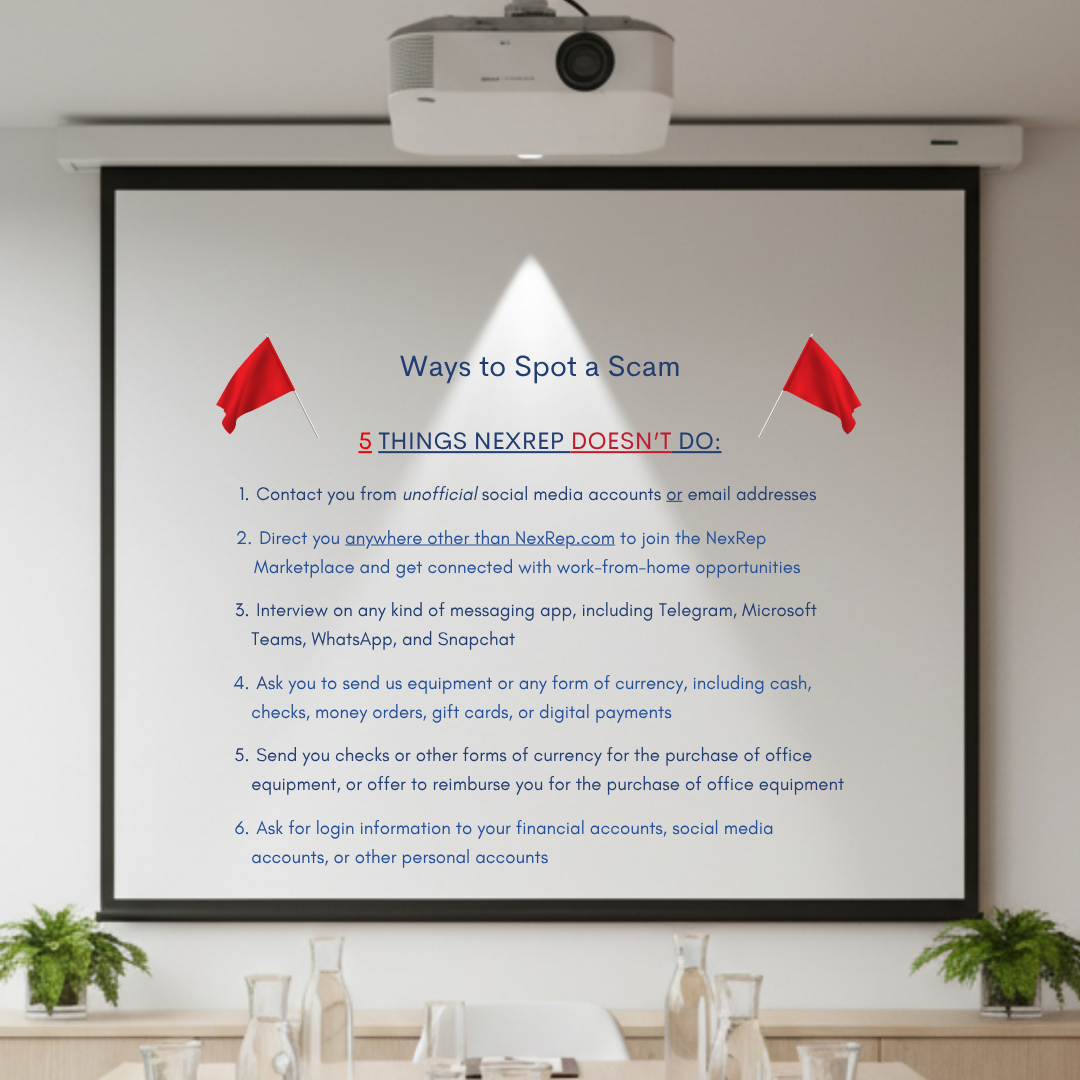
The Only Way to Register with NexRep
There is only one way to register on the NexRep Marketplace platform and get connected with Marketplace opportunities: through our official website, nexrep.com.
The Legitimate Process – Step by Step
- Visit our official website → www.nexrep.com/agents
- Click ‘Work From Home’ and start the NexRep Marketplace Registration process
- Complete our Marketplace Assessment
- Schedule a call at a time that works for you
- Connect with one of our Marketplace Coordinators at your scheduled call time to discuss available opportunities that you may be qualified for
That’s it – no shortcuts. We never solicit applications or interviews through direct messages on social media or messaging platforms, or from personal email accounts.
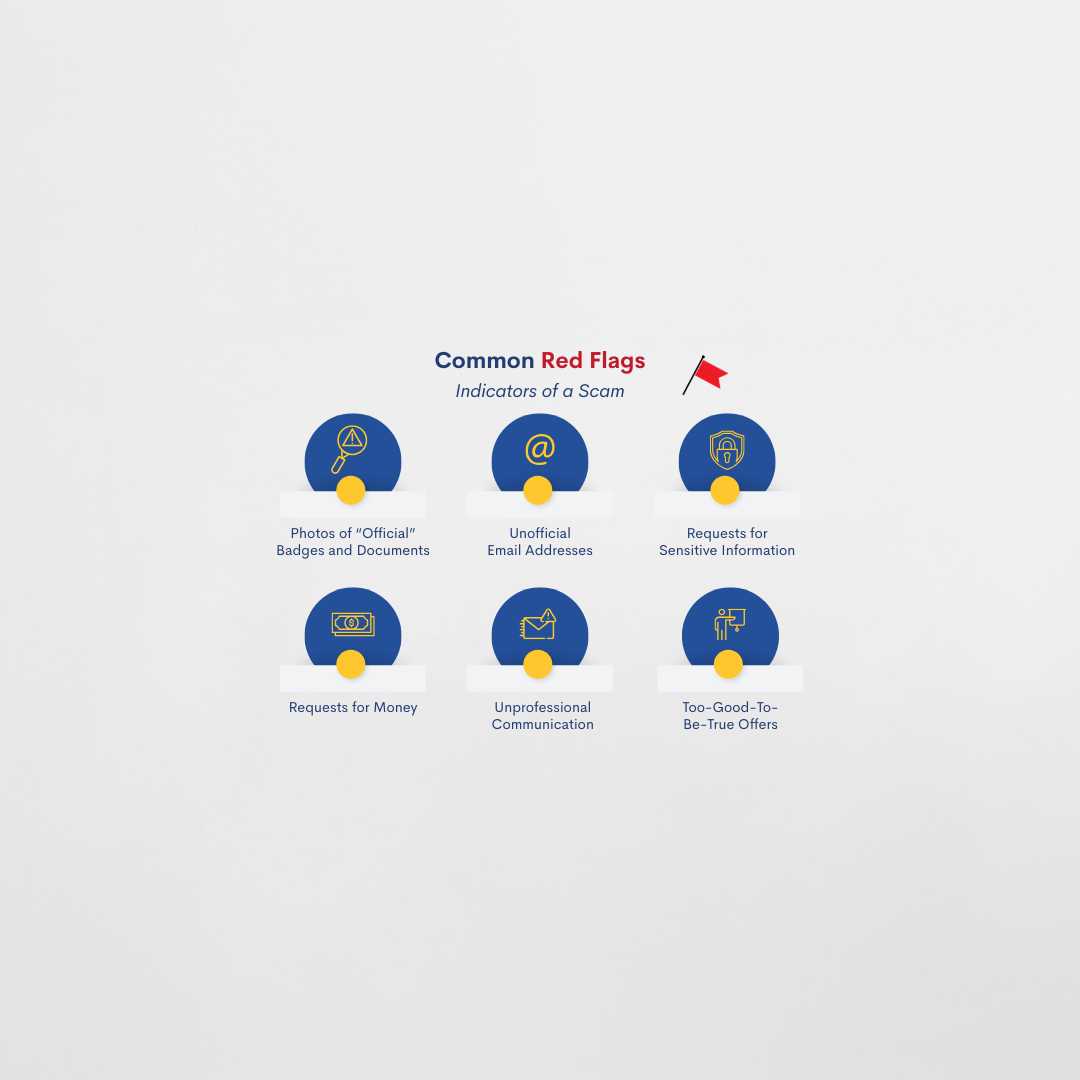
Common Red Flags to Watch Out For
Scammers often use clever tricks to appear legitimate. They’ve become increasingly sophisticated, using fake logos or even names and photos of actual company employees. Here’s what to look out for:
“Proof” That Doesn’t Prove Anything
Scammers sometimes share photos of “employee badges” or “official documents” to convince you that they are who they say they are. These are easy to fake; anyone can copy a name or image from LinkedIn or a company’s ‘Meet the Team’ page.
Unofficial Email Addresses
If the email ends with @gmail.com, @aol.com, @outlook.com, @yahoo.com, or similar, it’s not from NexRep – no exceptions. All reputable, well-established companies in our industry will have official email domains.
Requests for Sensitive Information
A legitimate company will never ask for passwords, PINs, banking information, or financial transfers during the application process. If someone does, stop communicating immediately.
Requests for Money or Equipment
Requests to pay for application processing or training – or to send equipment, cash, or other forms of currency such as money orders or gift cards – are major signs of a scam.
Unprofessional Communication
- Poor grammar or spelling errors in messages
- Pushy or urgent language (“We need your decision immediately!”)
- Requests to communicate through personal email or messaging apps (such as Telegram, Microsoft Teams, WhatsApp, or Snapchat) instead of an official company email address
Too-Good-to-Be-True Offers
Be cautious if:
- You’re offered an interview for something you never applied for
- You’re offered an opportunity immediately without an interview
- The pay rate seems unusually high for the role
How to Verify a WFH Opportunity
If something feels off — pause and verify. It’s always better to be cautious than to fall victim to a work-from-home scam. Here’s how to fact-check and keep yourself safe:
- Google the company
- Don’t rely on a link sent to you by someone else – do your own Google search to find the site. Confirm that the company actually exists and review its official website.
- Compare contact information
- Look closely and make sure the phone numbers, emails, and web addresses from the communications you’ve received match what’s listed on the company’s website.
- Check the company’s career page
- If the opportunity you’re looking into isn’t listed there, that’s suspicious. It doesn’t necessarily mean the opportunity doesn’t exist, but it should raise a red flag and prompt you to do more research, especially if your gut is already telling you something’s not right.
- Confirm the legitimacy of company social media profiles
- Scammers often impersonate companies on social media platforms, so be cautious about work from home opportunities you find there. Most company websites provide links to all of the company’s official social media profiles, which is a quick and easy way to confirm if pages you’ve encountered on social media belong to the actual company – or someone impersonating it.
- Contact the company directly
- If you’re unsure about the legitimacy of something, reach out to ask about it using the contact information on the company’s official site. Remember — legitimate companies welcome verification. It’s always smart to double-check.
Your trust is important to us at NexRep, and we value transparency. If you ever have doubts about a NexRep opportunity being advertised or a communication you receive from someone claiming to represent us, please reach out and confirm with us directly.
Where to Report Scams
When you encounter scams related to work from home opportunities, it’s important to report them – doing so is one of the most effective ways to protect yourself and prevent others from being targeted.
Reporting a scam to multiple places increases the likelihood that the individuals behind it will be investigated and identified, and it helps platforms and agencies track emerging tactics.
Whether the scammer contacted you through social media, reached you by email, impersonated a real company, or used a combination of these methods, notifying the appropriate organizations ensures the incident is documented, the fraudulent accounts can be removed, and others in the community can be warned. Below is a list of key places to report work-from-home scams:
- Federal Trade Commission (FTC): https://reportfraud.ftc.gov/
- FBI Internet Crime Complaint Center: https://reportfraud.ftc.gov/
- Impersonated Company: If the scam involved impersonating a real company, report it directly to them too.
- Your Email Provider: To report emails related to the scam, use the ‘Report Phishing’ or ‘Report Spam’ button in whichever email service you use, then block the sender.
- Social Media: Messages, conversations, or posts used to facilitate the scam should be reported directly to the social media platform they were sent or published on. If you’re not familiar with this process, you can find instructions for most of the major platforms linked below:
- Facebook
- Report a message or conversation: https://www.facebook.com/help/968185709965912/?helpref=related_articles
- Report other content on Facebook: https://www.facebook.com/help/181495968648557
- Instagram
- Report a message or conversation on Instagram: https://help.instagram.com/568100683269916
- Report other content on Instagram: https://help.instagram.com/2922067214679225/?helpref=related_articles
- TikTok
- Report a direct message on TikTok: https://support.tiktok.com/en/safety-hc/report-a-problem/report-a-direct-message
- Report a post on TikTok: https://support.tiktok.com/en/safety-hc/report-a-problem/report-a-video
- Report a comment on TikTok: https://www.tiktok.com/support/faq_detail?id=7543897462705281592&category=web_account
- Report an account on TikTok: https://www.tiktok.com/support/faq_detail?category=web_privacy_user_safety&id=7611812701534362124
- LinkedIn
- Report inappropriate content such as scams and misinformation on LinkedIn: https://www.linkedin.com/help/linkedin/answer/a1344213/recognize-and-report-spam-inappropriate-and-abusive-content?lang=en
- X / Twitter
- Report a post or direct message: https://help.x.com/en/safety-and-security/report-a-post
- Facebook
Other Resources
If you think a scammer has obtained information that could put your identity and financial health at risk, don’t forget these resources:
- Your Financial Institutions: Notify your financial institutions immediately. This is especially important if you made any transactions as part of a suspected scam, including deposits and transfers into your account.
- Nationwide Credit Bureaus: It’s free to request fraud alerts and credit freezes; https://www.identitytheft.gov/ has a list of contact information for the three nationwide credit bureaus.